ProductsTime & Attendance

The hours people work are the hours payroll pays

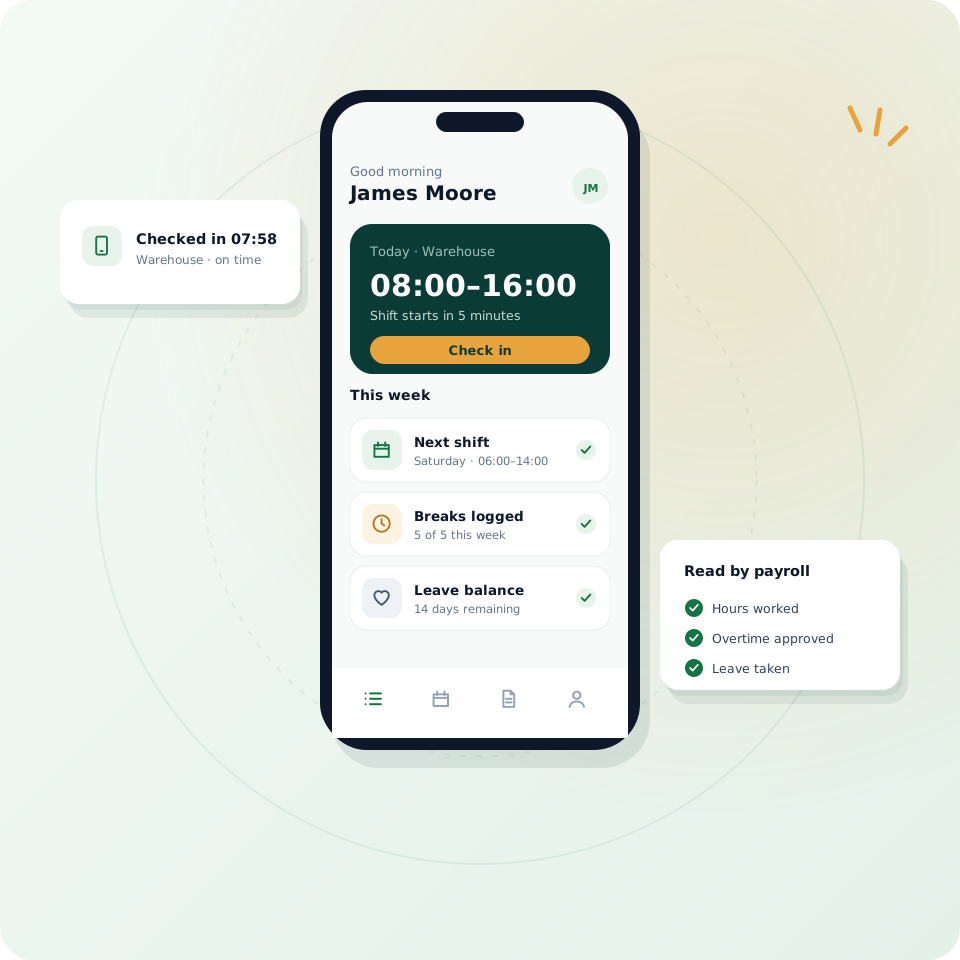
People check in from their phone, pick shifts, log breaks and request leave in one app. Those same entries are what payroll reads, so there is no second copy to reconcile at month end.

Mobile check-in
Shifts and breaks
Feeds payroll

Top HR Company Awards

G2 Leader Summer 2026 award badge
G2 number one AI Agent for HR award badge
TrustRadius Buyers Choice 2026 award badge
Software Advice Front Runners 2026 award badge
Capterra Shortlist 2026 award badge
TrustRadius Top Rated 2025 award badge
G2 Leader Summer 2026 award badge
G2 number one AI Agent for HR award badge
TrustRadius Buyers Choice 2026 award badge
Software Advice Front Runners 2026 award badge
Capterra Shortlist 2026 award badge
TrustRadius Top Rated 2025 award badge
WHY HAVERNHR TIME & ATTENDANCE

Attendance that payroll can trust without checking twice

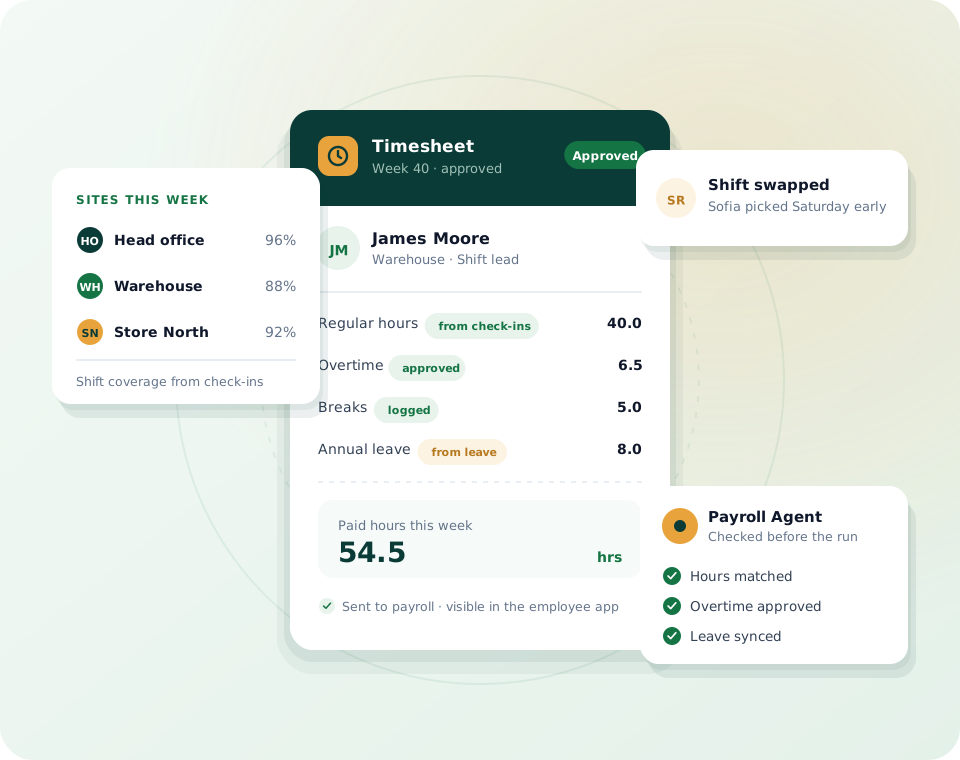
Timesheets usually live somewhere payroll cannot see, so someone exports them, cleans them and pastes them into the run. HavernHR records attendance on the same employee record payroll reads, so the hours and the pay always agree.

Check in from the phone

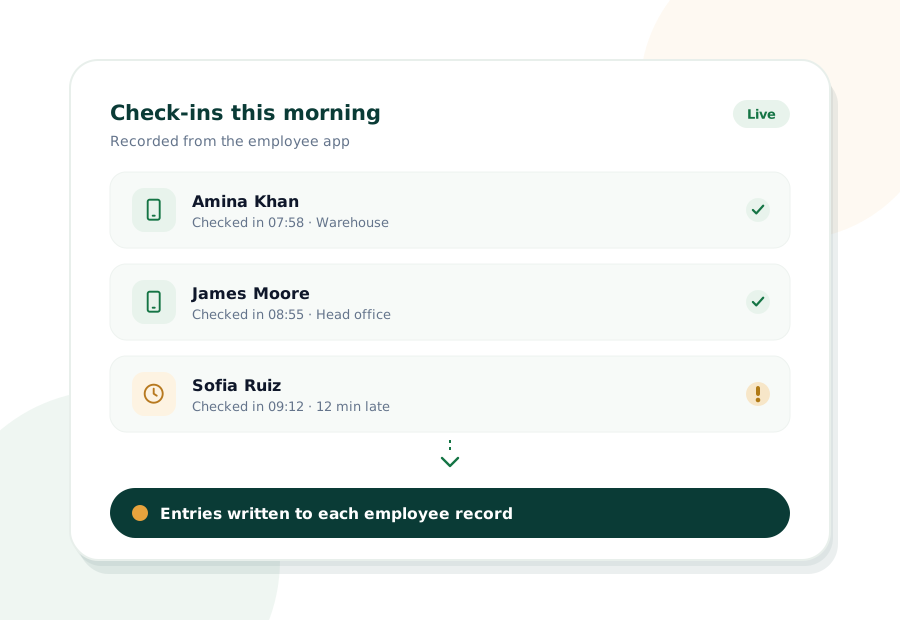
People check in and out from the employee app, and the entry lands on their record straight away.

Shifts people can pick

Publish shifts, let people pick the ones that suit them and log their breaks in the same app.

Leave in the same place

Balances, requests and approvals sit next to attendance, so absence and hours never disagree.

Straight into payroll

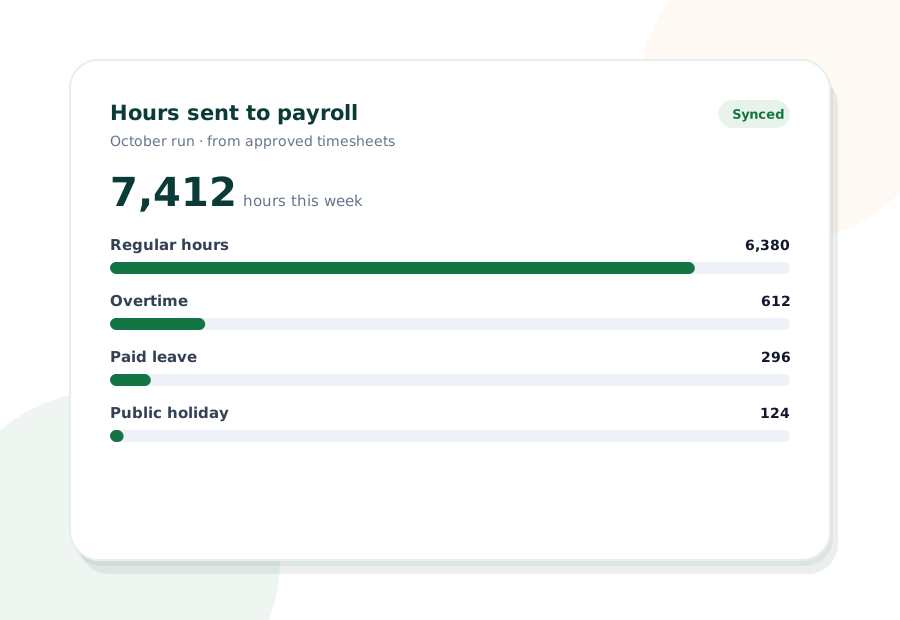
Approved hours, overtime and leave are already in the next run when payroll opens.

ONE RECORD, EVERY SHIFT

Hours, breaks and leave recorded once, used everywhere

Whether your team works fixed hours, rotating shifts or across several sites, each check-in, break and leave request is written to the same employee record. Managers approve exceptions in one workflow instead of chasing timesheets.

When the payroll run opens, overtime and leave are already there. The lines on the payslip match what people already see in their own app.

INSIDE HAVERNHR TIME & ATTENDANCE

What happens between a check-in and a payslip

Four things happen to every hour your team works. Open each one to see what HavernHR does for you.

01

People check in and check out from the employee app, and each entry is written to their record at the moment it happens.

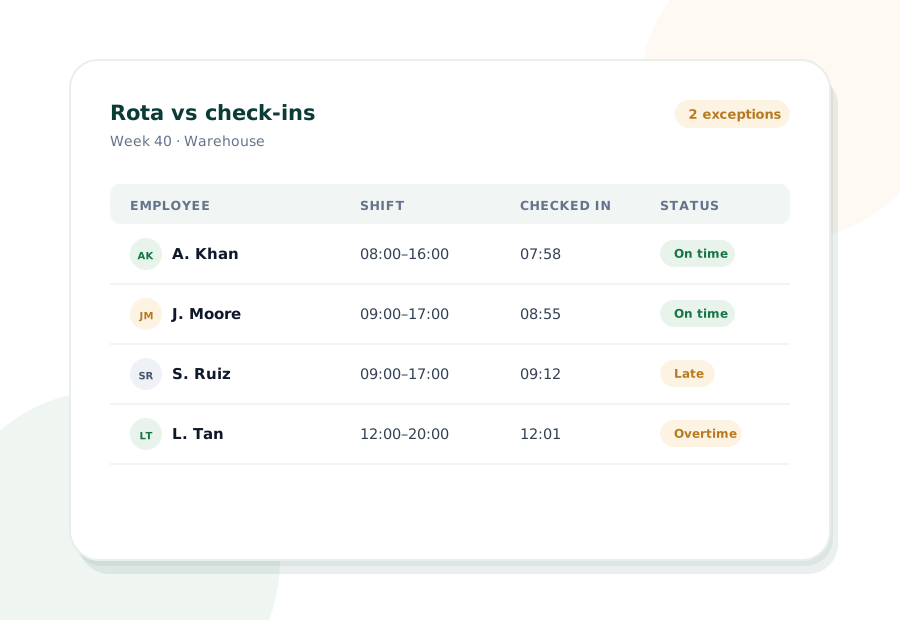
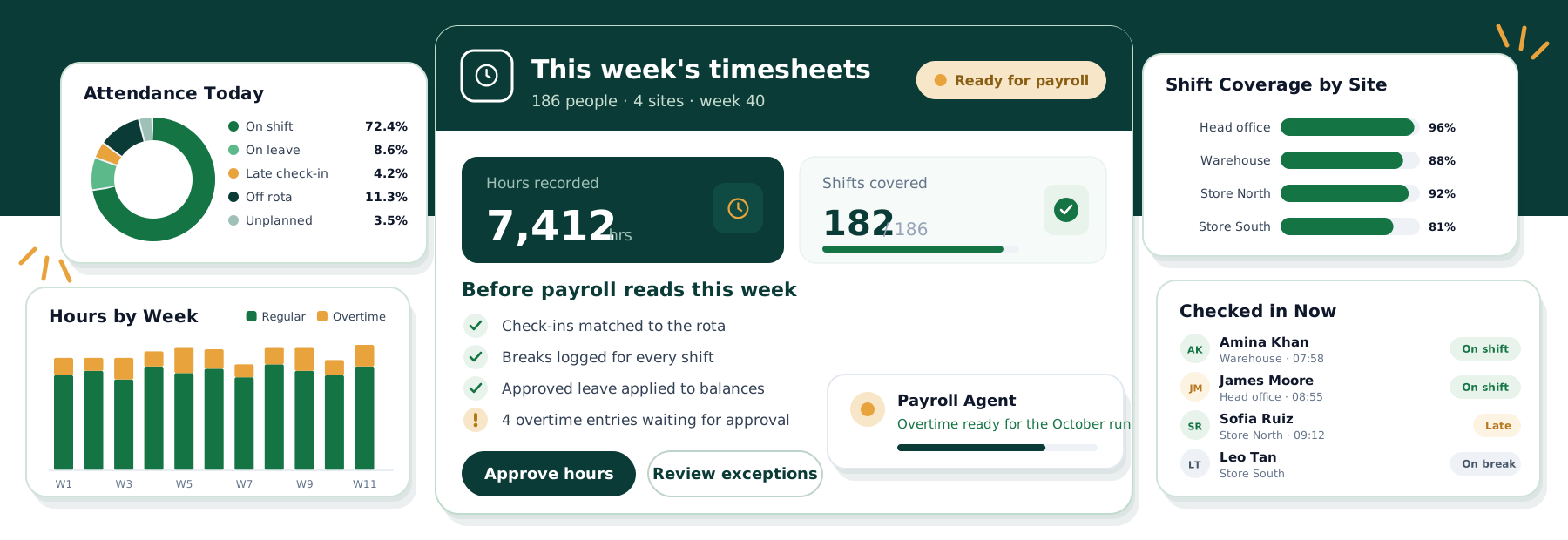
Check-ins are compared with the shifts people picked, so late starts, missed breaks and extra hours are easy to spot.

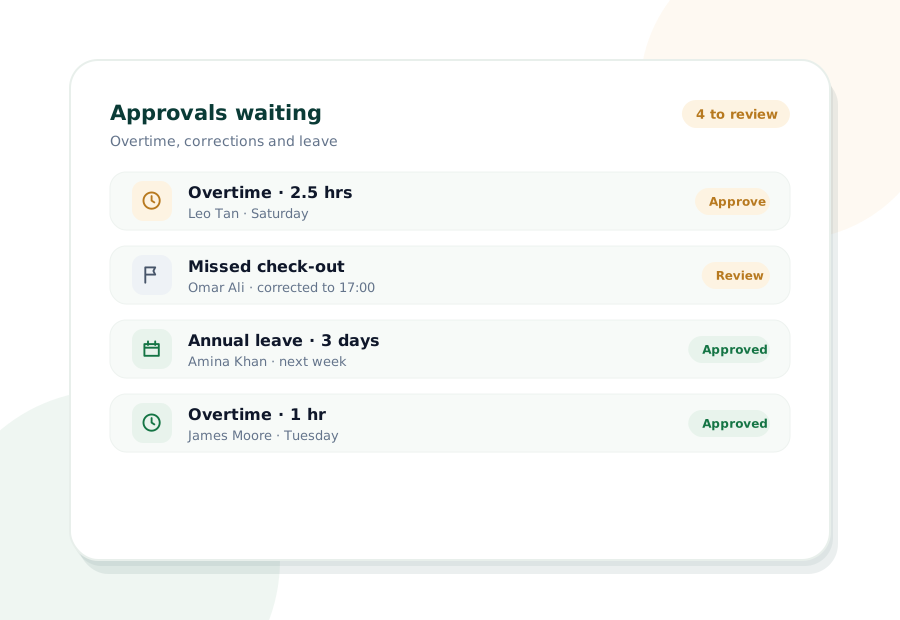
Overtime, corrections and leave go through the same approval workflow, so payroll only picks up what has been signed off.

Approved hours, overtime and leave feed the next payroll run directly, and every change is written to the audit trail.

EMPLOYEE ACCESS

Employees see their own hours and leave

People check in and check out from their phone, and those same entries are what payroll reads. There is no second copy to keep in step.

Open shifts are published in the app, and people pick the ones that suit them without a chain of messages.

Breaks are logged in the same app, so the hours on record are the hours actually worked.

Everyone can see their own leave balance and request time off. Once approved, it is already in the next payroll run.

WHO IT HELPS

What changes for everyone who tracks time

Line managers

Rotas, exceptions and leave approvals sit in one place instead of three spreadsheets.

Payroll admins

Approved hours and overtime are already in the run, so nobody re-keys timesheets.

Employees

They check in, pick shifts and see their leave balance from their own phone.

HR teams

Attendance and absence live on the employee record, ready for reporting.

Finance

Overtime and absence costs come from the same record as payroll.

See it on your own data
HOW A WEEK WORKS

From rota to payslip in four steps

The same rhythm every week, with exceptions handled before payroll opens.

01

Publish shifts

Managers publish the rota and people pick their shifts in the app.

02

Check in

People check in, log breaks and check out from their phone.

03

Approve exceptions

Overtime and corrections are signed off in one workflow.

04

Pay the hours

Approved hours flow straight into the next payroll run.

WHAT'S INCLUDED

Everything in HavernHR Time & Attendance

Attendance built on the same record and the same permissions as the rest of the platform.

FAQ

Attendance questions, answered

The things teams usually ask before they move time and attendance onto HavernHR. If yours is not here, ask us directly.

From the HavernHR employee app on their phone. Each check-in and check-out is written to their employee record as it happens.

Yes. Managers publish shifts and people pick the ones that suit them in the app, where they can also log their breaks.

Approved hours, overtime and leave are read by payroll from the same employee record, so they are already in the run when it opens.

The gap shows up as an exception, and a correction goes through the approval workflow before payroll picks it up.

Yes. Everyone can see their own balance and request time off from the app. Approved leave appears in the next payroll run.

Changes are role-based and go through approval, and every change is written to the audit trail.

CONNECTED

Attendance works with the rest of HavernHR

Attendance writes to the same record every other part of the platform reads.

See HavernHR on your own data.Let’s walk you through it.

Thirty minutes with someone who knows payroll, attendance and hiring, using your own process as the example. You leave with a straight answer on whether HavernHR fits your team.

Live demo30 minutes

Multi-entityMulti-currency

AI agentsBuilt in

Contact Form Demo

We reply by email to set up a time that suits your team.

HavernHR is an AI HR platform that keeps HR, payroll, attendance and hiring on one employee record, with AI agents that check the work before it reaches your people.

New York

245 Newkirk Avenue 3, Brooklyn, New York, US

© 2026 HavernHR. All rights reserved.

Scroll to Top