ProductsBenefits Administration

Benefits that stay in step with payroll

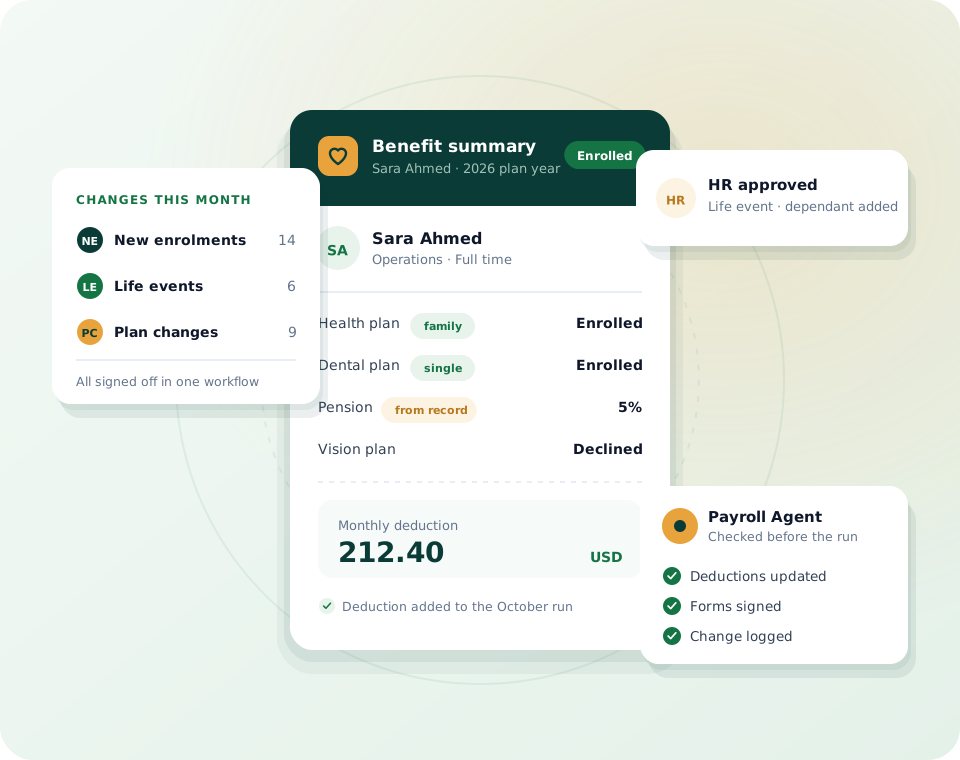
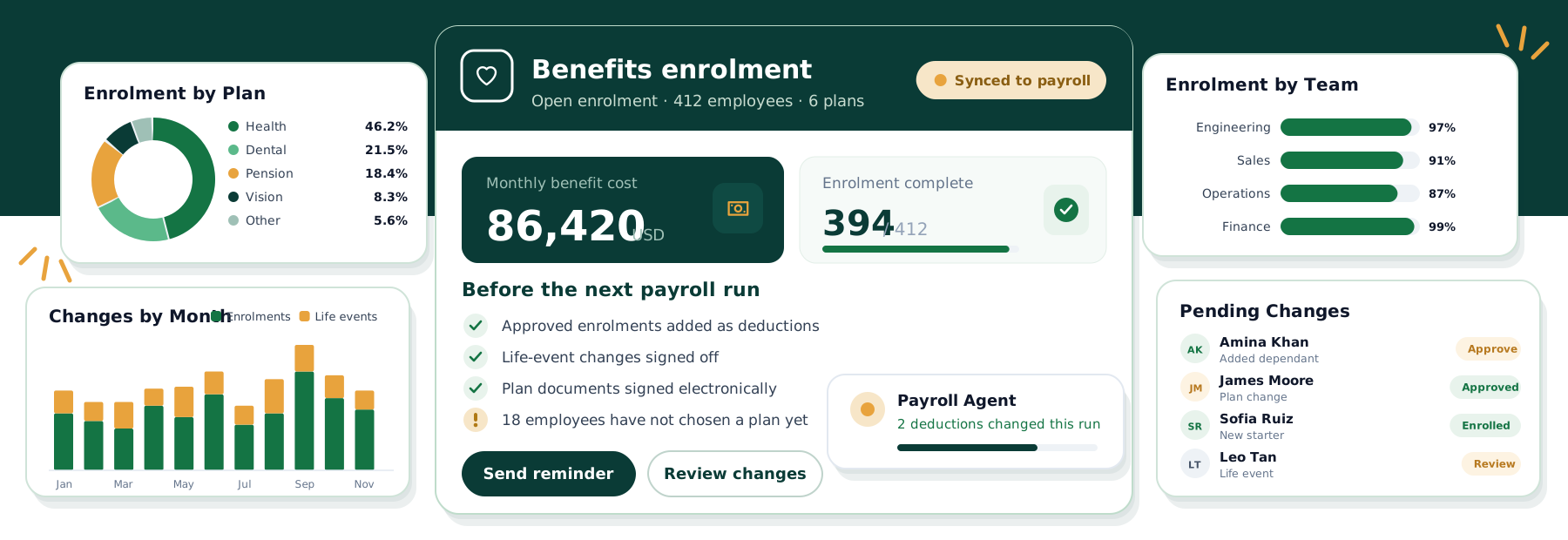
Plans, enrolment and life-event changes live on the same employee record payroll reads from, so deductions are already right when the run opens. Employees see what they are enrolled in from the app.

Enrolment in onboarding
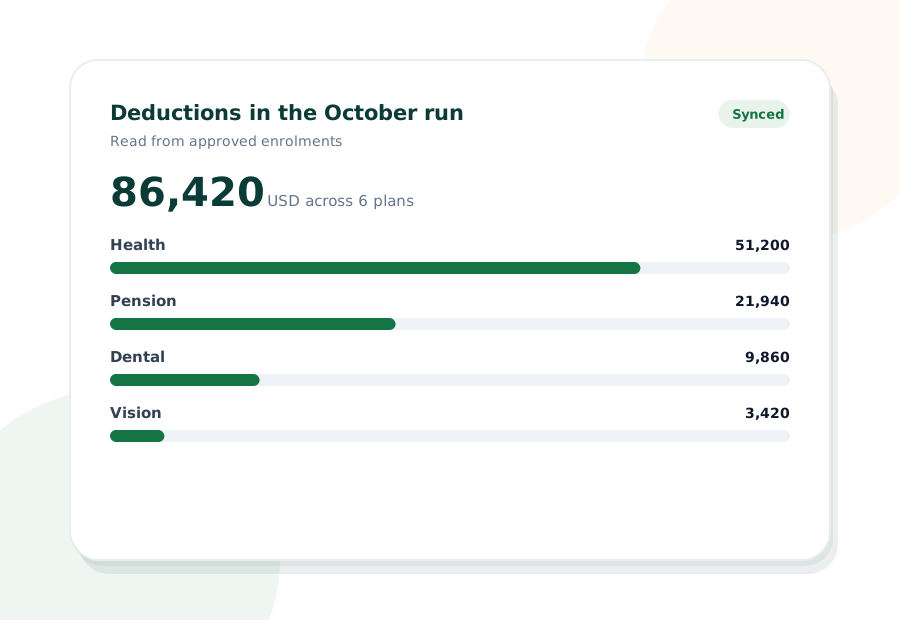
Deductions feed payroll
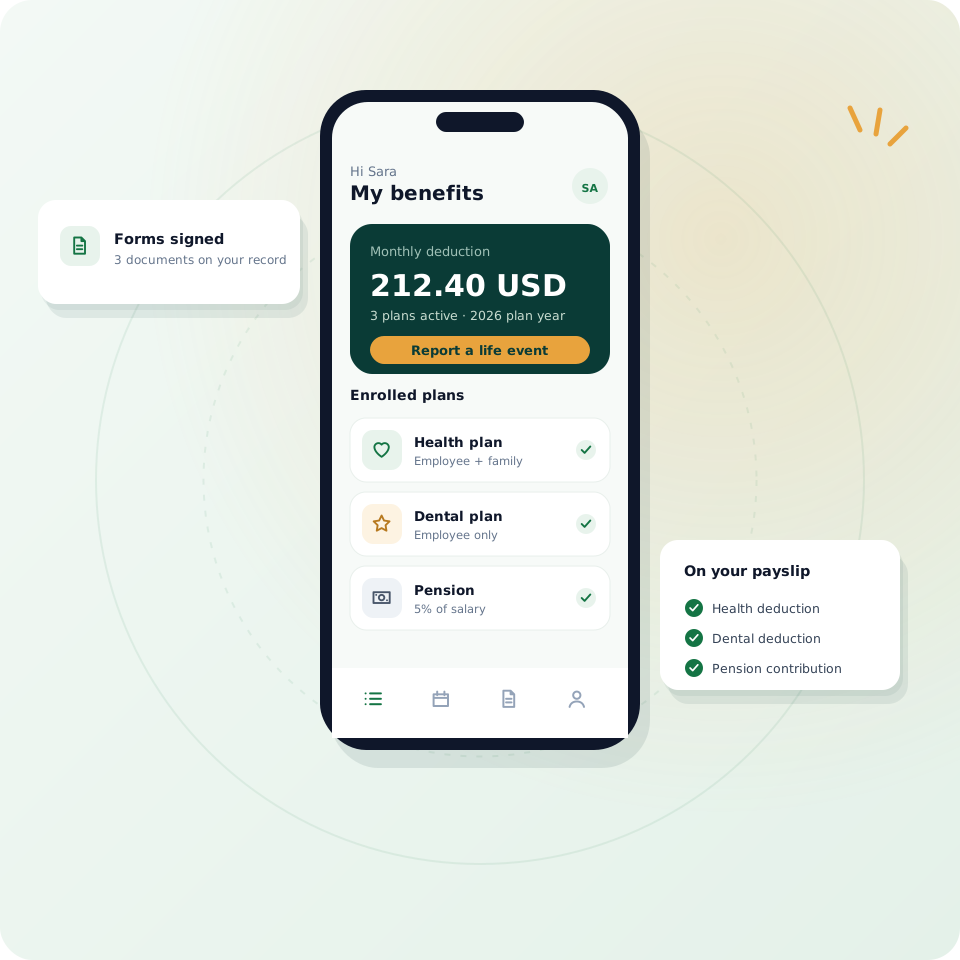
Employee self-service

Top HR Company Awards

G2 Leader Summer 2026 award badge
G2 number one AI Agent for HR award badge
TrustRadius Buyers Choice 2026 award badge
Software Advice Front Runners 2026 award badge
Capterra Shortlist 2026 award badge
TrustRadius Top Rated 2025 award badge
G2 Leader Summer 2026 award badge
G2 number one AI Agent for HR award badge
TrustRadius Buyers Choice 2026 award badge
Software Advice Front Runners 2026 award badge
Capterra Shortlist 2026 award badge
TrustRadius Top Rated 2025 award badge
WHY HAVERNHR BENEFITS

Benefits that start from the record, not a separate spreadsheet

Benefit changes usually reach payroll late: an enrolment sits in an inbox, a dependant is added by email, and the deduction is wrong for a month. HavernHR keeps benefits on the employee record, so the change is made once and payroll reads it.

Enrolment in one flow

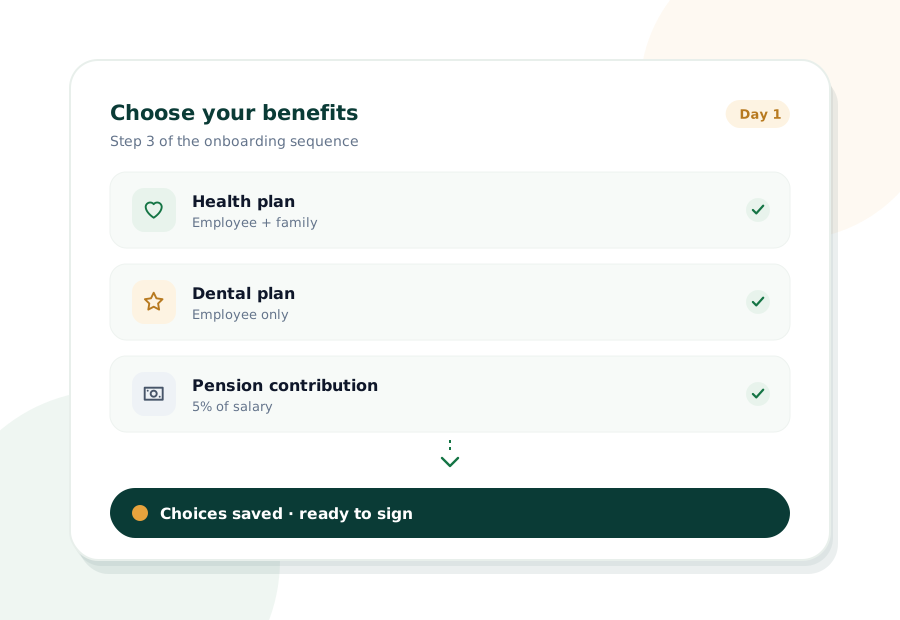
New starters choose their benefits as part of onboarding, with the forms signed electronically.

Deductions reach payroll

Approved enrolments and changes flow into the next run, so nobody re-keys a deduction.

Changes go through approval

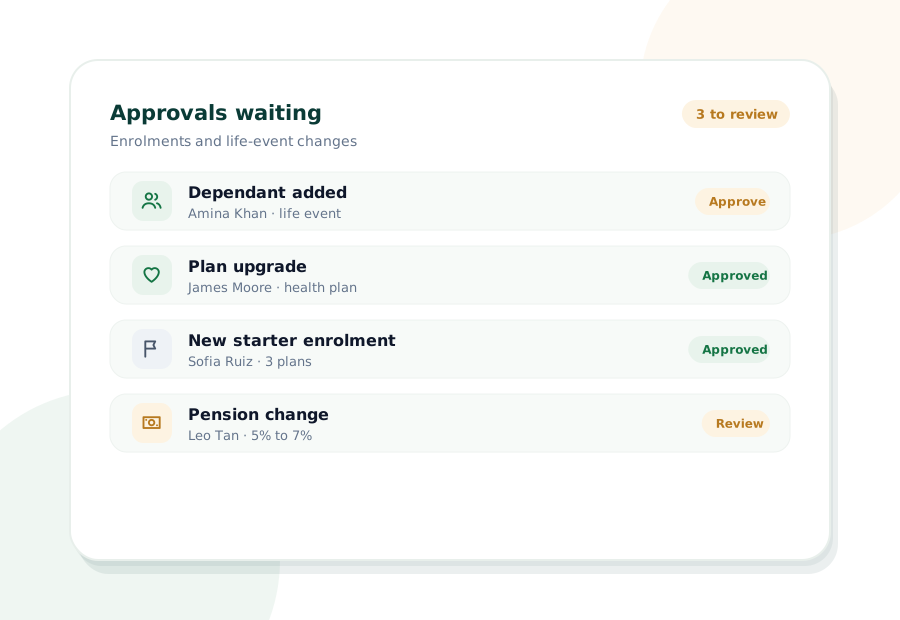
Life-event changes follow the same approval workflow as leave and pay changes.

Visible to employees

People can see what they are enrolled in from the employee app, without asking HR.

ONE RECORD, EVERY PLAN

Every benefit sits on the record HR and payroll already share

When someone joins, has a life event or changes plan, the update is made once on the employee record. The approval workflow signs it off, and the next payroll run picks up the right deduction without a second spreadsheet.

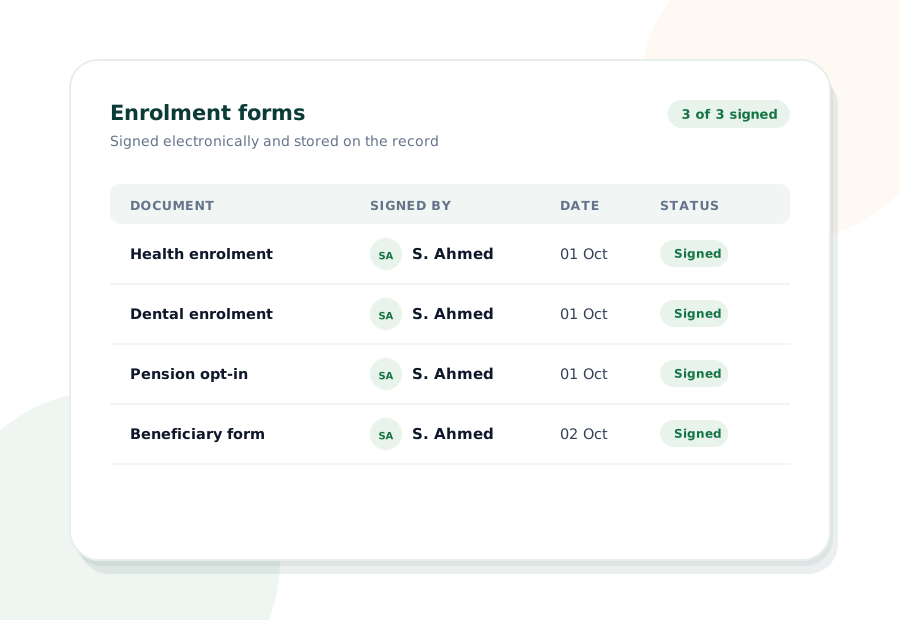
Plan documents and enrolment forms are stored with the employee record and signed electronically, so you can see who chose what and when, all on the audit trail.

INSIDE HAVERNHR BENEFITS

What happens between an enrolment and a payslip

Four things happen every time an employee enrols or changes a benefit. Open each one to see what HavernHR does for you.

01

New starters review the plans you offer and make their choices as part of their onboarding sequence, so benefits are set before their first payday.

Enrolment forms and plan documents are signed electronically and stored on the employee record, ready when anyone needs to check them.

Enrolments and life-event changes go through the same approval workflow as leave and pay changes, so payroll only picks up what has been signed off.

Approved changes flow into the next payroll run as deductions, and every change is written to the audit trail.

EMPLOYEE ACCESS

Employees can see their own benefits

Everyone can see which plans they are enrolled in from the employee app, without emailing HR to ask.

Employees can request a change after a life event, and it goes straight into the approval workflow.

Plan documents and signed forms are stored with the employee record and available whenever they are needed.

Benefit deductions appear on the payslip, built from the same enrolment the employee can already see.

WHO IT HELPS

What changes for everyone who touches benefits

HR teams

Enrolments and changes are tracked on the record, not in an inbox, so nothing waits to be re-keyed.

Payroll admins

Approved benefit changes are already in the run as deductions when payroll opens.

Employees

They can see what they are enrolled in and request a change from the app.

Finance

Benefit costs come from the same record as payroll, ready for reporting.

IT & security

Role-based access keeps benefit details private, and every change lands on the audit trail.

See it on your own data
HOW ENROLMENT WORKS

From choice to payslip in four steps

The same sequence for every new starter and every life event.

01

Choose

The employee picks their plans during onboarding or after a life event.

02

Sign

Forms are signed electronically and stored on the record.

03

Approve

HR signs the change off in the approval workflow.

04

Deduct

The next payroll run picks up the right deduction.

WHAT'S INCLUDED

Everything in HavernHR Benefits Administration

Benefits built on the same record and the same permissions as the rest of the platform.

FAQ

Benefits questions, answered

The things teams usually ask before they move benefits administration onto HavernHR. If yours is not here, ask us directly.

Approved enrolments and changes are held on the employee record, and the next payroll run reads them as deductions, so nobody has to re-key them.

Yes. Benefit choices can be part of the onboarding sequence, with the forms signed electronically.

The employee requests a change, it goes through the approval workflow, and the updated deduction is picked up in the next run.

Yes. Employees can see what they are enrolled in from the employee app, alongside their payslips and leave.

Access is role-based, so benefit details stay with the people who are meant to see them, and every change is recorded on the audit trail.

No. You set up the plans you already offer, and HavernHR keeps enrolment and changes on the employee record. Talk to us about your setup and we will walk you through it.

CONNECTED

Benefits work with the rest of HavernHR

Benefits read from and write to the same record every other part of the platform uses.

See HavernHR on your own data.Let’s walk you through it.

Thirty minutes with someone who knows payroll, attendance and hiring, using your own process as the example. You leave with a straight answer on whether HavernHR fits your team.

Live demo30 minutes

Multi-entityMulti-currency

AI agentsBuilt in

Contact Form Demo

We reply by email to set up a time that suits your team.

HavernHR is an AI HR platform that keeps HR, payroll, attendance and hiring on one employee record, with AI agents that check the work before it reaches your people.

New York

245 Newkirk Avenue 3, Brooklyn, New York, US

© 2026 HavernHR. All rights reserved.

Scroll to Top